


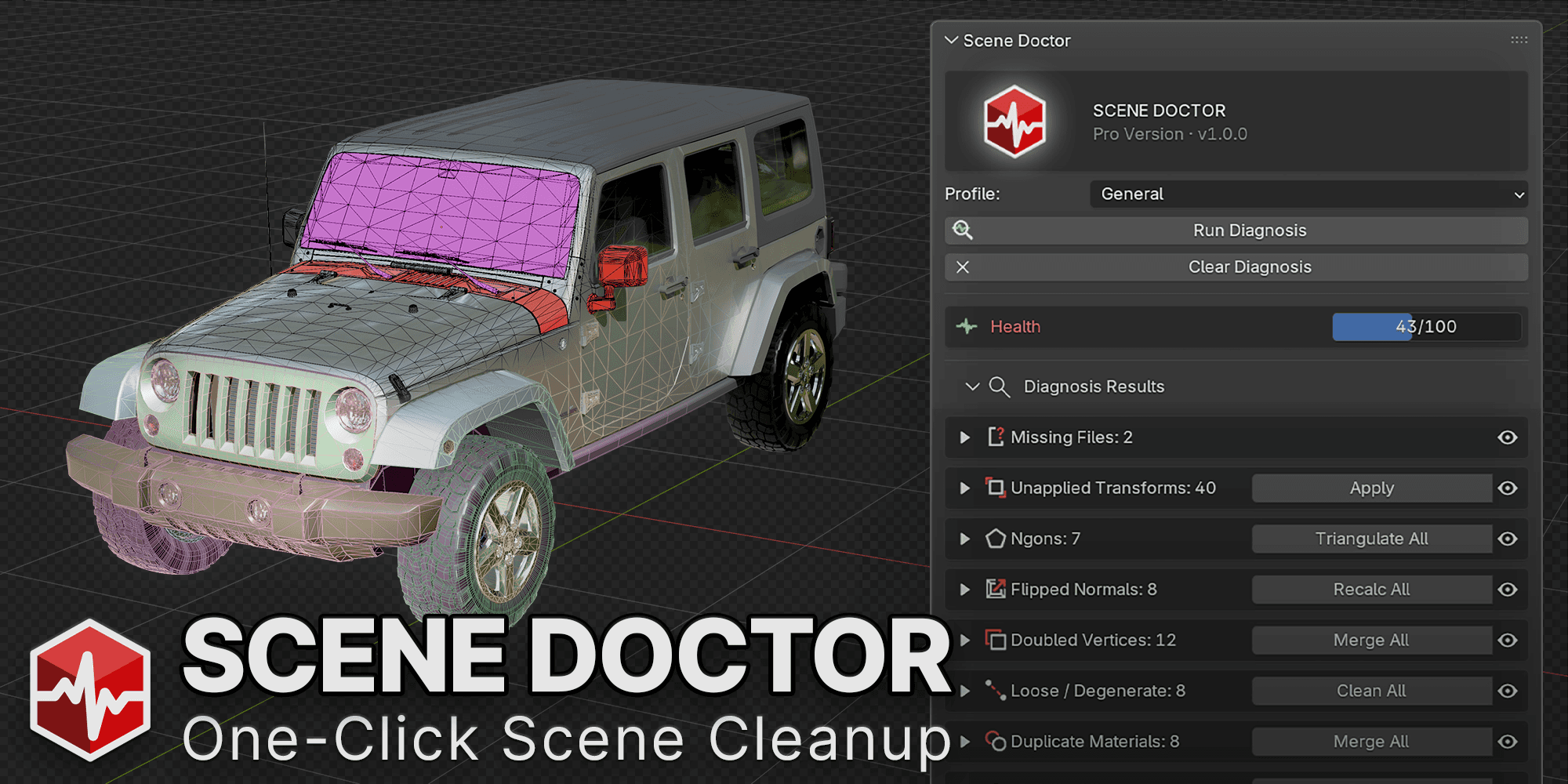
Fix the silent problems in your Blender scenes — in one click.
One-click scene diagnosis and cleanup for Blender.
Every imported and downloaded asset hides the same silent problems: unapplied transforms, flipped normals, textures tagged the wrong color space, missing files, orphaned data, junk geometry. Most of it never throws an error — it just quietly wrecks your shading, your export, or your render, hours later, when it's hardest to trace back.
Scene Doctor scans your file in one click, scores its health, and shows you exactly what's wrong and where. Fix what's safe to fix automatically — everything else stays under your control, one confirmed action at a time.
Try Scene Doctor Lite free — 5 core checks, no cost.
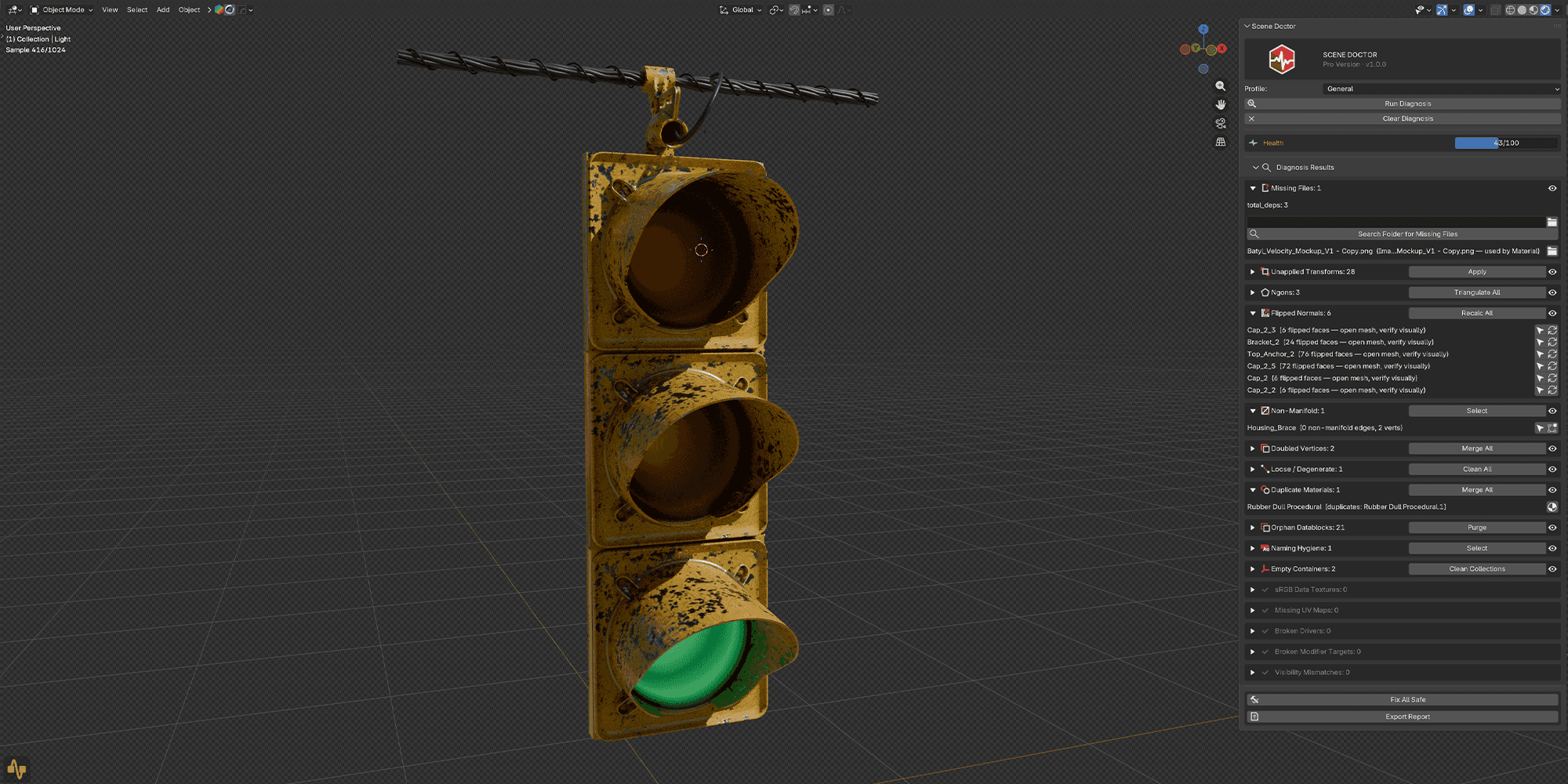
Nine of the sixteen checks it runs:
Warning
Unapplied Transforms
Every downloaded or imported asset can hide bent scale and rotation values that break modifiers, physics, and array patterns down the line. Scene Doctor scans every object in one pass and flags anything with non-identity scale or rotation — skipping linked data, multi-user meshes, animated rigs, and parented children, so you never apply a transform that would break your scene. One click, whole file, done.

Error

sRGB Data Textures
The most common invisible bug in Blender: a normal map or roughness texture imported as sRGB instead of Non-Color, quietly wrecking your shading with no error and no warning. Scene Doctor finds every data texture tagged with the wrong color space and fixes the assignment in one click — no more digging through node trees texture by texture.
Warning
Flipped Normals
Faces that disagree with a mesh's outward-facing normal read as broken shading, black patches, or inverted lighting — and they're brutal to spot by eye across a complex mesh. Scene Doctor flags every offending face and gives you a one-click per-object fix, without you ever needing to dig through extra viewport overlays to find them.


Error
Missing Files
A relinked texture, a moved reference file, a missing asset from a downloaded pack — broken file paths are one of the most common reasons a scene renders wrong, or not at all, after handoff. Scene Doctor finds every unresolved external path, searches your project folders for a match, and relinks it for you.
Warning
Missing UV Maps
Any material using UV-dependent nodes on a mesh with no UV layer at all will render wrong, and Blender won't tell you why. Scene Doctor flags every mesh missing the UV data its materials expect, so you catch it before it becomes a render-day surprise.

Warning
Duplicate Materials
Downloaded kits and asset packs are notorious for shipping the same material five different times under five different names. Scene Doctor detects structurally identical materials across your file and merges them to one, cutting slot bloat and keeping your material list actually usable.

Warning
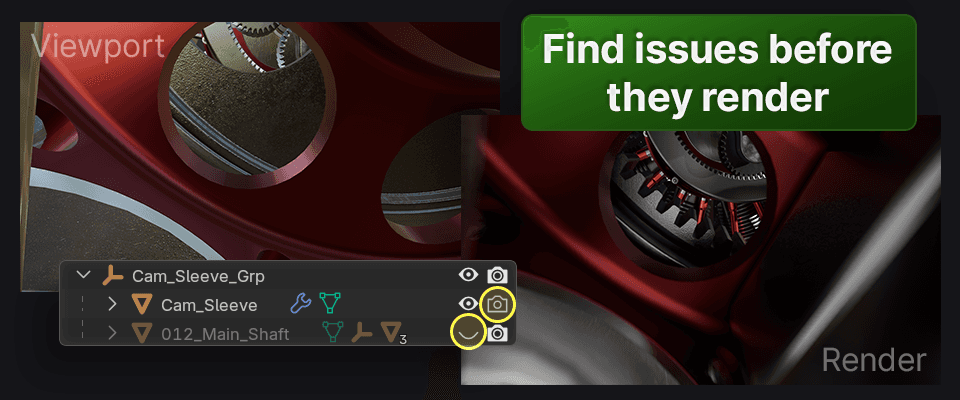
Visibility Mismatches
Objects hidden in the viewport but still rendering, or visible in the viewport but excluded from render — these mismatches are invisible until you're staring at a render wondering where an object went. Scene Doctor surfaces every mismatch so the information is right there, instead of buried in per-object toggles you'd have to check one at a time.

Info
Orphan Datablocks
Every failed import, deleted object, and undo pass leaves behind data with zero users still sitting in your file — invisible bloat with no reason to keep it. Scene Doctor finds every zero-user datablock and purges them in one confirmed pass.
Warning
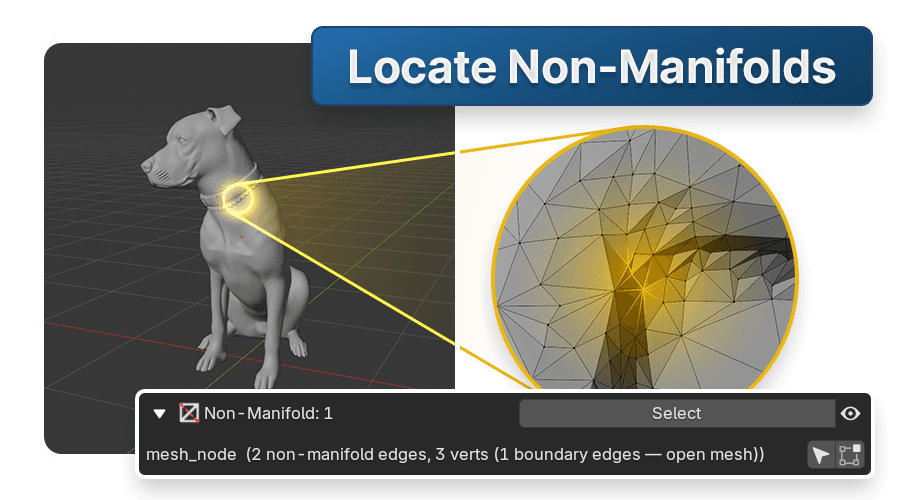
Non-Manifold Geometry
Interior faces, T-junctions, edges shared by more than two faces — non-manifold geometry is invisible until it breaks a 3D print, a boolean, or a game-export pipeline that demands watertight meshes. Scene Doctor finds every offending edge and vertex and selects them directly in edit mode, so you're fixing the actual geometry instead of hunting for it face by face.
One dropdown, tuned to what you're actually doing
Not every check matters for every file. Pipeline Profiles run a tuned subset from a dropdown, matched to what you're exporting to — so you're not wading through eleven checks when three of them apply.
General
Every check, default severities. The baseline scan for a file with no specific destination yet.
Game Export
Transforms, ngons, non-manifold, missing UVs, sRGB data, naming — tuned for the send2ue → Unreal pipeline.
3D Print
Non-manifold geometry elevated to Error, plus doubles, normals, and degenerate geometry — the checks that actually break a print.
Render
sRGB data, missing files, drivers, modifier targets, visibility — the silent killers of a final render.
The active profile saves with your .blend — reopen the file, reopen the right checklist.
Lite tells you what's wrong. Pro fixes it.
Not every check matters for every file. Pipeline Profiles run a tuned subset from a dropdown, matched to what you're exporting to — so you're not wading through eleven checks when three of them apply.
✓
5 core checks free, full detect mode
✓
+11 advanced checks in Pro
✓
One-click fixes, not just detection
✓
Pipeline profiles to choose from
✓
Fix-All-Safe batch button
✓
CSV report export for studio QC
Documentation
Every check is documented online — what it detects, why it matters, and exactly what the fix does to your scene. The manual covers installation, the four pipeline profiles, Fix All Safe, CSV export, and a full reference for all 16 checks. Start here before your first scan, or keep it open as a reference while you work.
Frequently asked questions
Not every check matters for every file. Pipeline Profiles run a tuned subset from a dropdown, matched to what you're exporting to — so you're not wading through eleven checks when three of them apply.
Does Scene Doctor modify my file without asking?
No. Fix All Safe only ever runs reversible, unambiguous fixes, and previews exactly what it will change before you confirm. Anything destructive or ambiguous — purges, normal recalcs, material merges, deletions, renames — is opt-in, per item. As always, keep backups of important .blend files regardless of tooling.
Will this slow down my scene?
No. Diagnosis is on-demand — click Run Diagnosis when you want a scan. Nothing runs continuously in the background, so there's zero overhead while you work.
Does the free version actually work, or is it a demo?
Lite is fully functional. It runs the same 5 core checks as Pro in full detect mode — health score and per-item drill-down included. Pro adds the remaining 11 checks, the one-click fixes, pipeline profiles, Fix All Safe batching, and CSV export.
Do I need a license key?
No. Everything works without one. The key only affects support priority and update eligibility — never functionality. No DRM.
Which Blender versions are supported?
Blender 4.2 through 5.1. Version-gated APIs are guarded, so it degrades gracefully on older releases rather than erroring out.
How do I install it?
Drag the .zip onto Blender, or Preferences → Add-ons → Install from Disk, then enable it. Two builds are included — the standard Extension zip (recommended for 4.2+) and a Legacy zip for the classic install flow. To update, install the new zip over the old one.

